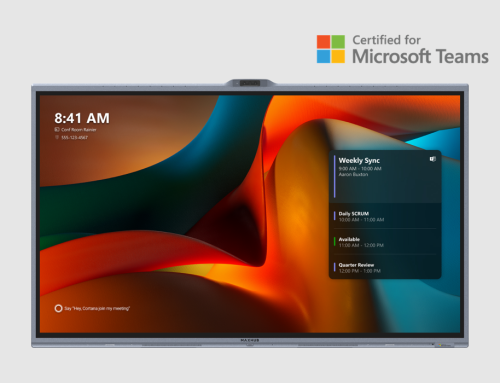


Transitioning to Dedicated Room Systems with MAXHUB: Why BYOD Is No Longer Enough
In 2026, the biggest productivity killer in meeting rooms isn’t people, it’s friction.
We have all experienced it: a meeting that should start on time derails into 10 minutes of HDMI adapters, USB permissions, audio settings, and “Can you hear me now?”
The once-popular Bring Your Own Device (BYOD) model is reaching its limits. Across India and APAC, organizations are transitioning to dedicated room systems with MAXHUB to eliminate delays, reduce IT overhead, and deliver consistent meeting experiences – every time.
At CosmicTech, we see this shift accelerating. And at the center of it is the MAXHUB XBar V50 Kit, purpose-built for Microsoft Teams-centric workplaces.
Why BYOD Is Failing Modern Meeting Rooms
BYOD relies on individual laptops to power meetings. That dependency introduces inconsistency, user error, and downtime, especially in shared rooms.
Common BYOD Challenges
- Meetings start late due to cable and driver issues
- Audio and camera quality varies by laptop
- Security depends on personal devices
- IT teams spend time fixing the same problems repeatedly
Dedicated room systems remove these variables by keeping the “brain” of the meeting inside the room—not on an employee’s device.
Dedicated Room Systems vs BYOD: A Quick Comparison
| Feature | BYOD Setup | Dedicated Room System (XBar V50 Kit) |
| Meeting start | Manual setup each time | One-touch join |
| Compute power | Employee laptop | Built-in Android system |
| User experience | Inconsistent | Standardized across rooms |
| Security | Depends on device | Enterprise-grade (MDEP) |
| IT management | Manual, room-by-room | Centralized via MAXHUB Pivot |
| Scalability | Limited | Designed for multi-room deployment |
This difference is why Dedicated Room Systems vs BYOD is now a board-level discussion for many enterprises.
What Is the MAXHUB XBar V50 Kit?
The MAXHUB XBar V50 Kit is a Microsoft Teams Room Android solution designed for small to medium meeting rooms and huddle spaces.
Unlike USB peripherals, it runs on a native Android platform, meaning meetings start without laptops. Walk in, tap the console, and join—securely and instantly.
Core Capabilities at a Glance
- Microsoft Teams–certified
- Android-based with built-in compute
- Enterprise-grade security (MDEP)
- AI-powered video and audio intelligence
5 Organizations That Need the MAXHUB XBar V50 Kit Today
- Microsoft Teams–Standardized Enterprises
If Teams is your default collaboration platform, the V50 Kit is a natural upgrade. Native Teams Rooms on Android deliver one-touch join, consistent UI, and a familiar workflow – without relying on laptops.
- Offices with Modern Glass Architecture
Glass walls look impressive – but they confuse standard cameras and microphones.
The V50 Kit’s AI Video & Audio Fencing creates digital boundaries, ensuring hallway movement and external noise are ignored.
- High-Growth Firms with Multiple Huddle Rooms
Scaling fast often means inconsistent meeting experiences. Standardizing rooms with the V50 Kit ensures every space works the same way, reducing user frustration and training time.
- IT Teams Seeking Low-Touch Room Management
Managing dozens of rooms manually isn’t sustainable. With MAXHUB Pivot, IT teams can monitor device health, push updates, and troubleshoot remotely—cutting support tickets and downtime.
- Training Centers and Hybrid Classrooms
With a 100MP dual-lens camera and 8-meter audio pickup, presenters can move naturally. AI speaker tracking keeps remote participants engaged without manual camera control.
Why Organizations in India and APAC Are Moving Faster
Across Video Conferencing India deployments, organizations are prioritizing:
- Faster meeting starts
- Lower IT intervention
- Predictable room behavior
- Long-term scalability
Dedicated room systems align better with these priorities than BYOD, especially in offices with high meeting density.
The CosmicTech Advantage
Transitioning to a dedicated room system isn’t just a hardware decision, it’s a workplace strategy.
As a trusted provider of CosmicTech IT Services, we help organizations:
- Design standardized meeting room environments
- Deploy MAXHUB solutions at scale
- Manage lifecycle and upgrades efficiently
We also offer technology leasing models, enabling organizations to modernize meeting rooms with predictable OPEX instead of large upfront CAPEX.
FAQs
- What is the difference between the MAXHUB U50 and V50 Kit?
The U50 is a BYOD USB peripheral that depends on a user’s laptop, while the V50 Kit is a dedicated room system with built-in Android computing for standalone operation. - How does Video Fence work in glass-walled offices?
AI Video Fencing sets digital boundaries so cameras and microphones focus only on participants inside the room, ignoring hallway movement and external noise. - Can IT teams manage the V50 Kit remotely?
Yes. The system integrates with MAXHUB Pivot, allowing remote monitoring, updates, and troubleshooting. - Does the XBar V50 Kit support Zoom or other platforms?
It is certified for Microsoft Teams Rooms on Android. (Insert verified multi-platform support if applicable.) - What is the typical installation effort?
Installation is straightforward for small to medium rooms. CosmicTech provides design, deployment, and support. - Are leasing options available?
Yes. CosmicTech offers flexible technology leasing models for predictable budgeting.